






Imagine opening an app and instantly feeling like it “gets” you, without saying a word. Maybe the theme gently shifts toward warm golds because you seem relaxed, or your dashboard suddenly becomes more minimal because your tapping rhythm suggests you’re overwhelmed. Yes, apps are getting emotional… and in the best possible way.
And in an era where tech feels more human than ever, platforms like Dreamina help creators design these adaptive worlds with ease. Even the intro deserves a little creative magic, which is why we’re starting here with one powerful tool that often appears at the brainstorming stage: the AI image generator. It has now become the go-to for visual mockups, moodboards, and early concept art, advancing designers to emotion-focused product visuals.
But the real star of the show is how emotional understanding is being interwoven into the core of digital experience applications that morph from static layouts into responsive companions, shifting, adapting, and responding to users based on their mood.
The new emotional interface: When apps start to feel alive
Apps aren’t just adding dark mode or a few customizable colors; they’re learning to sense the vibe. Using everything from touch patterns to micro-delays in user interaction, emotional mapping helps an app understand what the user may need in that very moment.
Some apps switch to “gentle mode” when users scroll more slowly. Others increase colors and sounds when a user appears excited. And the most sophisticated? They’re melding the subtle emotional cues with content delivery, making interaction almost intuitive.
What makes this extra interesting is how the creators actually design emotion-first visuals. It is in this place that design tools play a big role in helping build adaptive interfaces that are more organic rather than mechanical.
A few examples of emotional dynamics shaping app experiences include:
- Mood reactive colors: calming neutrals, warm tones, sharp, energetic contrasts
- Micro-animations that shift depending on emotional rhythm
- Designs that simplify when users appear stressed or hurried
- Sound effects corresponding to energy level or browsing speed
This is not sci-fi anymore; it forms the core of emotion-based UX.
Designing emotion: The creative challenge behind mood-adaptive visuals
For designers, magic happens not just in reading mood but in translating that emotional data into visual logic. What is an app to do if a user appears tired? Which color palette feels peaceful but not dull? What layout reduces cognitive load while still feeling dynamic?
These steps of emotional design may include prototyping whole mood variations for one screen — joyful, neutral, calm, overwhelmed, or curious — each version created with its personality. This may be a point where creators might resort to something like Dreamina’s AI video generator to quickly get a view of animated versions of such emotive transitions; it helps teams understand motion, pacing, and timing without actually having to build full prototypes from scratch.
But mood design is not just practical; it’s also incredibly expressive.
Emotions in pixels — how designers build mood-reactive aesthetics
Turning emotions into visuals is an art form. If, say, an app senses uncertainty, designers may use subtle gradient fades that create a sense of soft reassurance. Excitement could be depicted with sharper shapes and bold contrasts. Typography may “breathe” in peaceful moments, spacing out slightly to give users some visual room for thought.
And in cases where designers want to push aesthetics beyond the conventional palette, a tool such as Dreamina’s AI art generator comes into play. It helps prototype visual variations in experimental brush styles, textures, surreal color blends, or symbolic patterns representing emotional states.
Some emotional visual elements designers experiment with include:
- Ambient lighting effects for calm or comfort
- Energetic geometric patterns for joy or momentum
- Soft, low-contrast interfaces for fatigue
- Warm, rounded UI elements to reassure
- High-motion transitions for excitement/discovery
When these elements come together in flow, the app almost feels like a living companion that responds in real-time — intuitive, comforting, and beautifully personal.
How to design emotional cues users actually enjoy
Emotional interfaces are only as good as the reactions they create. Users need to feel supported, not analyzed. This is why the best emotional UX design feels natural-more like a friendly nudge than a digital diagnosis.
Some creative emotional-to-feature connections include:
- When users seem in a hurry → App clears homepage clutter
- When users appear to be energetic → animations are sharper and more dynamic
- When users slow down → the app suggests calming content
- When users accelerate typing → Predictive suggestions become more proactive
And because these experiences often combine motion, color, and interaction, a lot of time is spent testing and iterating flow – making sure the emotional rhythm feels right.
Dreamina magic: bringing emotion-friendly visuals to life
Below is your custom section of Dreamina with fun headings and concise paragraphs, no bullets, no steps beyond what you had indicated.
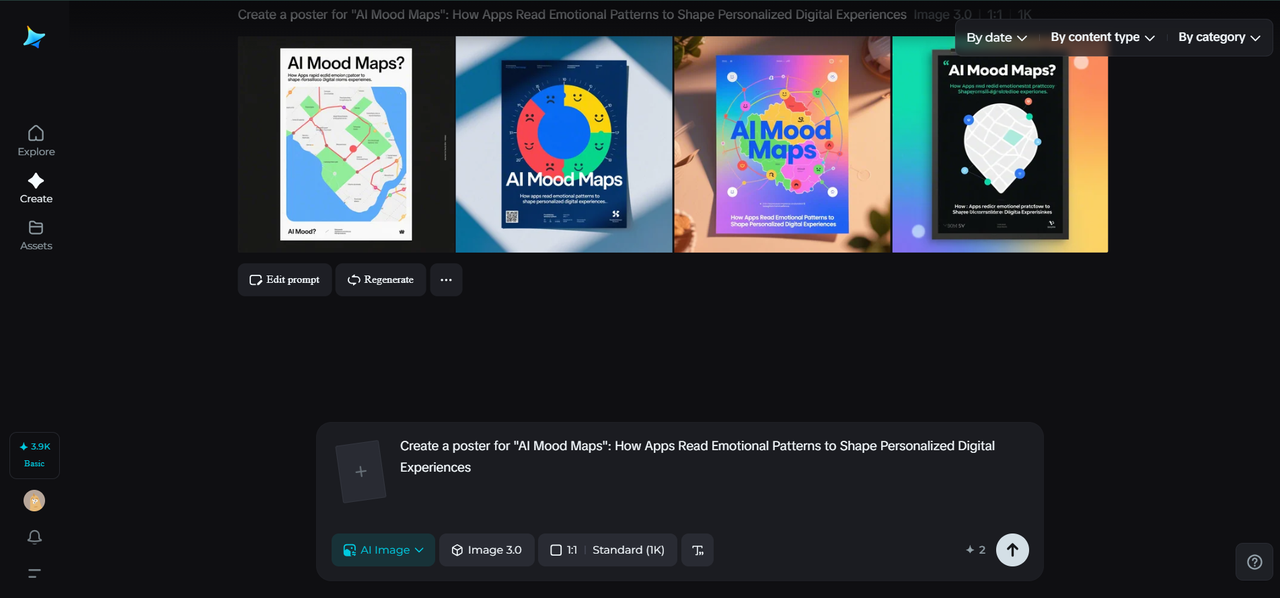
Step 1: Write a detailed text prompt
Go to Dreamina and open the creation space in order to start creating your mood-responsive concept. Write a text prompt that thoroughly describes the emotional design you want to create, such as colors, textures, lighting mood, and interface style.
Example: Create a gentle, emotion-adaptive mobile UI screen with warm peach lighting, soft neumorphic buttons, floating gradient shadows, and a calm, slow-breathing animation effect inspired by sunset moods.
The more sensory your description is, the easier it becomes for Dreamina to visualize the atmosphere you are aiming for.
Step 2: Set parameters and generate
Next, customize your creation by choosing the model you want to work with, choosing an aspect ratio, and selecting size and resolution options such as 1k or 2k. Once your settings are just what you had in mind, click on Dreamina’s icon to generate your emotionally inspired artwork.
Step 3: Customize and save
When the image is displayed, proceed with its enhancement by using Dreamina’s AI tools like inpaint, expand, remove, or retouch to perfect every detail. When your mood-adaptive design looks exactly how you have imagined it, click the “Download” icon to save your final artwork in high quality.
Emotional UX is the future of digital comfort
As interfaces become increasingly emotional, applications are becoming less about mere tools and more about companions in experiences: reading the user’s rhythm, adjusting it gently, and offering support without disrupting the flow. The space is endless for designers, developers, and creators to build digital worlds where people feel understood, not overwhelmed.
And tools such as Dreamina make it easier than ever to prototype those empathy-first digital experiences-from moodboards to finished visuals-that help creators design applications that feel warm, intuitive, and deeply personal.